Quick tags
Enter the tag workflow from the browser, thumbnails, or context menus.

Image viewing. Pure and simple.
Fluid browsing meets lightweight asset management. Leave the clutter behind. Zoom, crop, check EXIF data, and filter by tags—all effortlessly done in one remarkably light window.
Supports JPEG, PNG, GIF, HEIC, HEIF, TIFF, WebP, AVIF, JPEG XL, and SVG
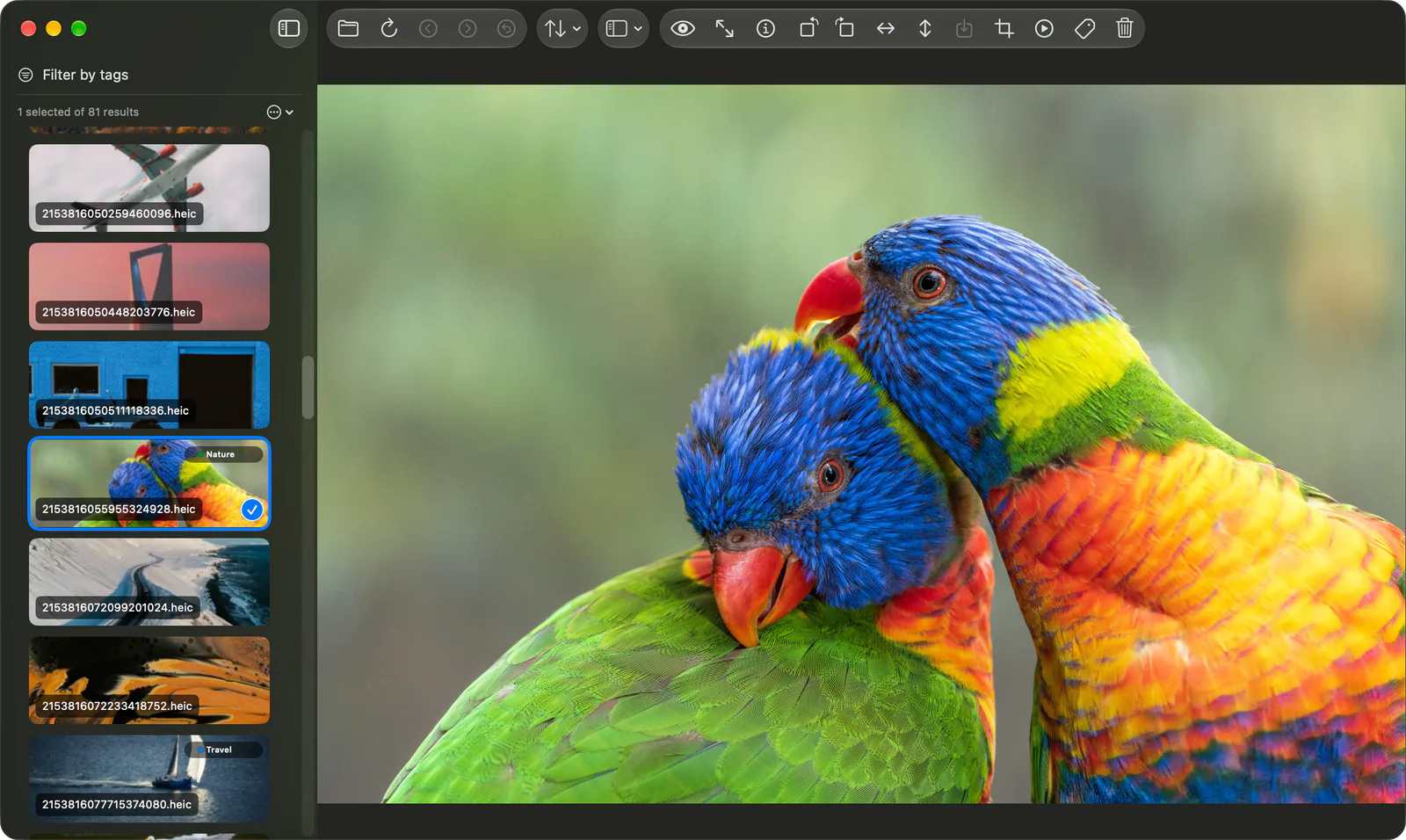
01 Features
No library to import. Open a folder, and browsing, zooming, cropping, and tagging all happen right where your images live.
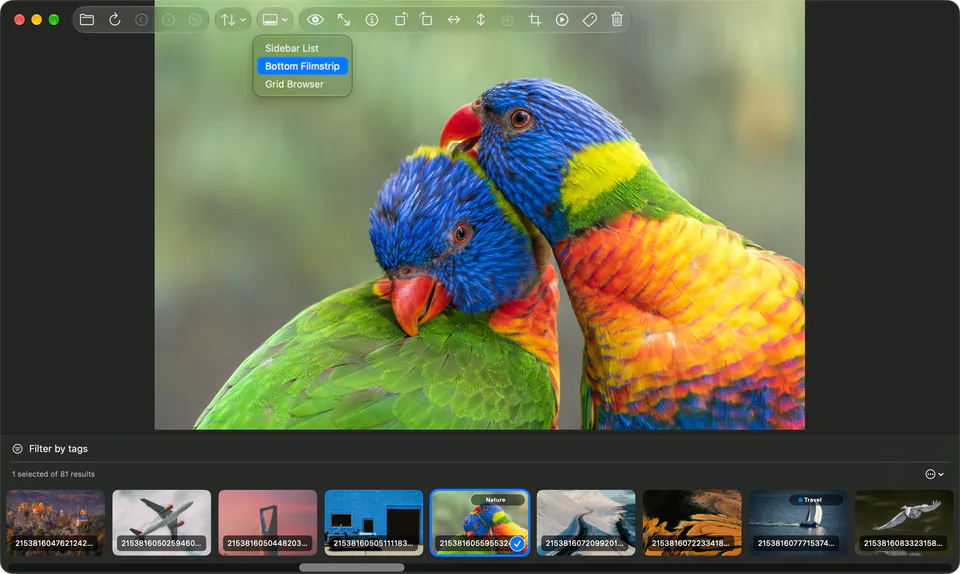
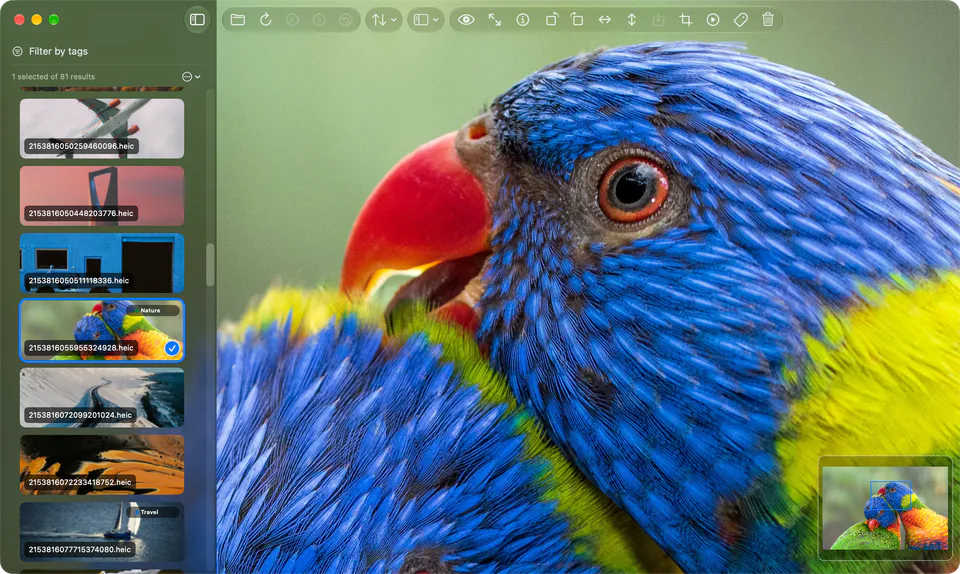
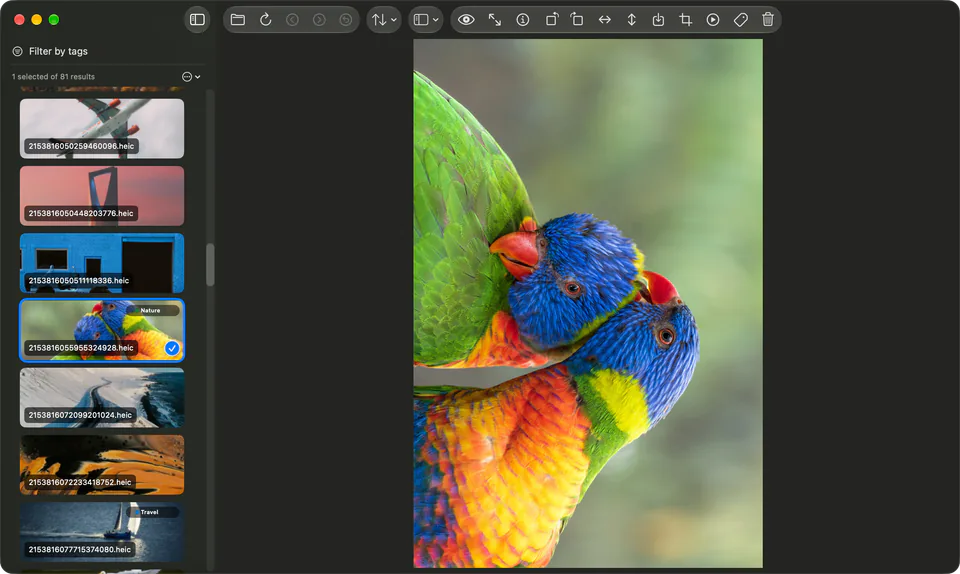
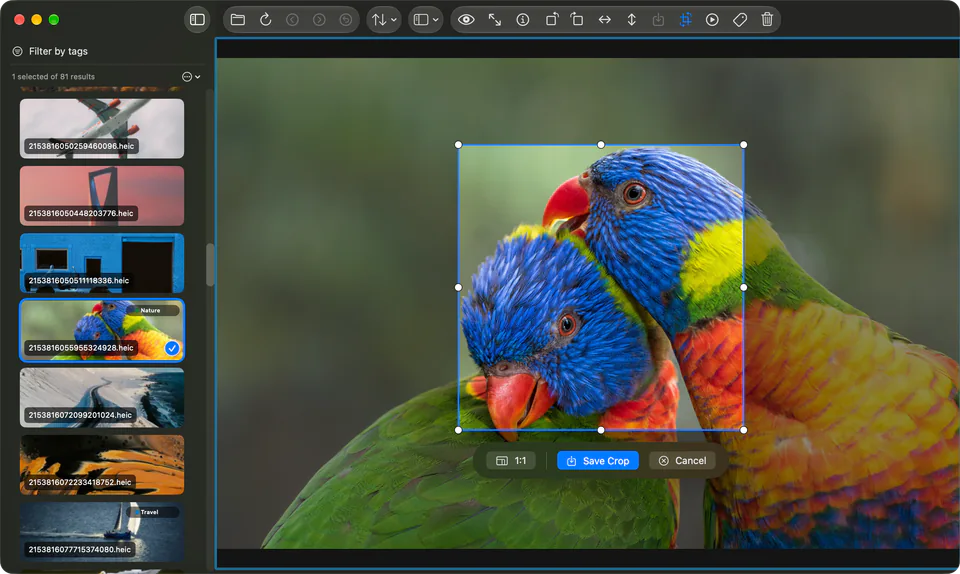
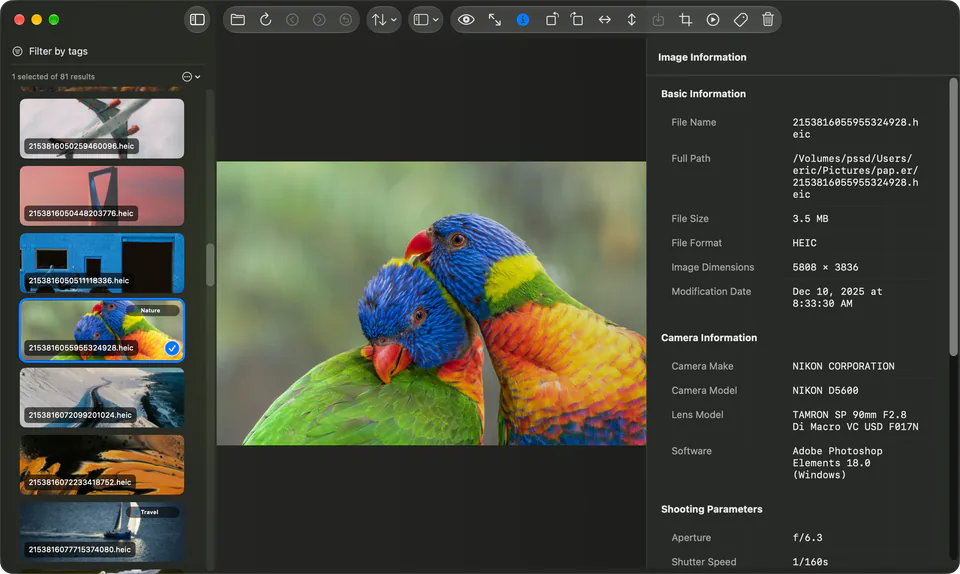
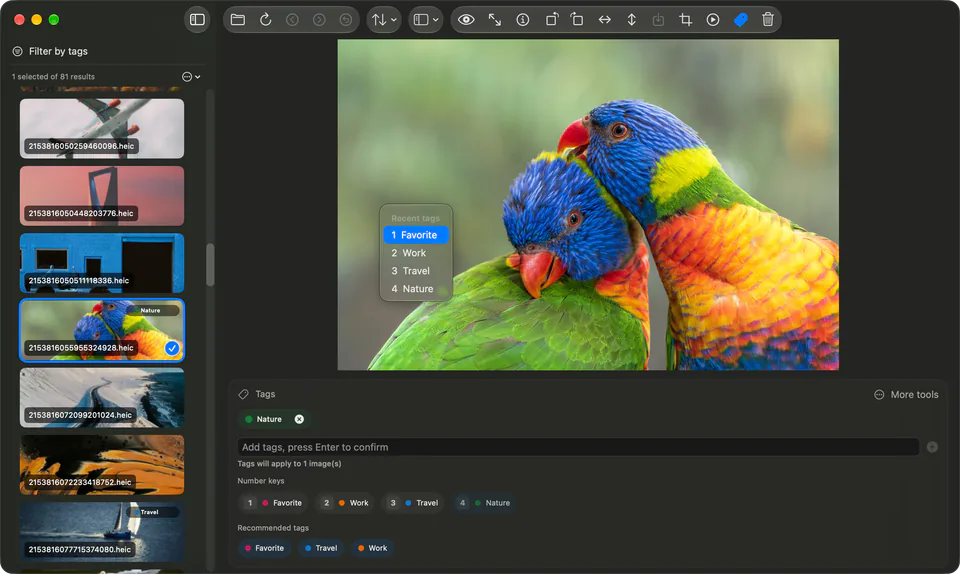
Open images or folders from the Open panel, drag and drop, Finder, or the Dock, and start browsing right away. Sort them, or jump to the previous or next folder.
Switch between the sidebar list, bottom filmstrip, and grid browser. Scroll to zoom around the pointer, drag to pan, and use the minimap to see where you are.
Press Space for Quick Preview, or go Immersive Full Screen. Rotating and mirroring never change the original; export when you want to keep the result.
Pro Requires Pro: exporting rotated or mirrored images.
Crop freely or to a custom ratio, then export as JPEG, PNG, HEIC, or TIFF, or overwrite the original.
Pro Requires Pro: crop mode, custom ratios, export formats, and overwrite original.
See camera, lens, exposure, and GPS details in the sidebar, and play the current images as a slideshow.
Pro Requires Pro: EXIF sidebar and slideshow playback.
Tag images to organize them, then filter by tag to find the ones you need.
Pro Requires Pro: tag editing, filtering, and management.
View details02 Tag system
Leave folder clutter behind. Tag workflows include quick tags on fixed number keys, autocomplete, colors, include / exclude tag filters, and saved smart filters.
Enter the tag workflow from the browser, thumbnails, or context menus.
Include or exclude each tag, then combine with smart filters to narrow the current set.
03 Plans
From casual browsing to full asset workflows, choose the path that fits you best. Subscriptions and one-time unlocks share the exact same Pro features—all handled securely in-app.
Subscriptions and one-time unlocks share the exact same Pro features—all handled securely in-app.
For opening, browsing, and reviewing image sets quickly.
The yearly subscription and lifetime license include exactly the same features. Only the payment differs. Both are purchased in the app.
Pricing, trial eligibility, and regional availability are determined by the App Store and the app.
| Feature | Free | Pro |
|---|---|---|
| Open images / folders, drag and drop, open from Finder / Dock, and Open Recent | Included | Included |
| Subfolder scanning, previous / next, sorting, and folder switching | Included | Included |
| Zoom, pan, and minimap | Included | Included |
| Sidebar list, bottom filmstrip, grid browser, Quick Preview (Space), and Immersive Full Screen | Included | Included |
| Temporary rotate / mirror viewing, delete current image, language / appearance / shortcuts / cache settings | Included | Included |
| Export after rotating, mirroring, or cropping | Not included | Included |
| Choose export format and overwrite original | Not included | Included |
| Crop mode and custom crop ratios | Not included | Included |
| EXIF sidebar and slideshow playback | Not included | Included |
| Tag editing, quick tags, recommendations and autocomplete, and colors | Not included | Included |
| Tag filters, smart filters, statistics / management / health check | Not included | Included |
| Pick / Reject marks, Pick Filter, and moving rejected images to the Trash | Not included | Included |
04 Community
Share feedback, compare image workflows, and follow upcoming releases.